
Way back in the original setup
I went with Transmission and picked the familiar
transmission-web-control UI because it looks like
a regular desktop client. That served me well for years.
Then one day it just… stopped.
The v4 Troubles
On 2023-02-08 Transmission v4.0.0 happened, they rewrote the entire UI and it didn’t ship with
my transmission-web-control anymore.
Because this whole thing is supposed to save you time, I took the easy way out:
transmission:
  image: linuxserver/transmission:version-3.00-r8
Which served me well enough for these last 3 years.
The Homelab Trigger
As I was seriously upgrading my homelab, it was time to also have a look at my beloved Pirateflix to see what happened in the world of *arr.
Bringing back my UI
It turned out to be pretty easy to get my good ol’ web-control back:
transmission:
  image: linuxserver/transmission
  environment:
    - DOCKER_MODS=linuxserver/mods:transmission-transmission-web-control
The UI Competition
A quick look at the other UIs…
docker-compose.yml — spin up all four UIs side by side
x-transmission: &base
  image: lscr.io/linuxserver/transmission:latest
  environment: &env
    PUID: 1000
    PGID: 1000

services:
  floodui:
    <<: *base
    container_name: tr-floodui
    environment:
      <<: *env
      DOCKER_MODS: linuxserver/mods:transmission-floodui
    ports:
      - 9101:9091

  webcontrol:
    <<: *base
    container_name: tr-webcontrol
    environment:
      <<: *env
      DOCKER_MODS: linuxserver/mods:transmission-transmission-web-control
    ports:
      - 9102:9091

  transmissionic:
    <<: *base
    container_name: tr-transmissionic
    environment:
      <<: *env
      DOCKER_MODS: linuxserver/mods:transmission-transmissionic
    ports:
      - 9103:9091

  trguing:
    <<: *base
    container_name: tr-trguing
    environment:
      <<: *env
      DOCKER_MODS: linuxserver/mods:transmission-trguing
    ports:
      - 9104:9091
Four contenders, same daemon underneath. Here’s what they look like:
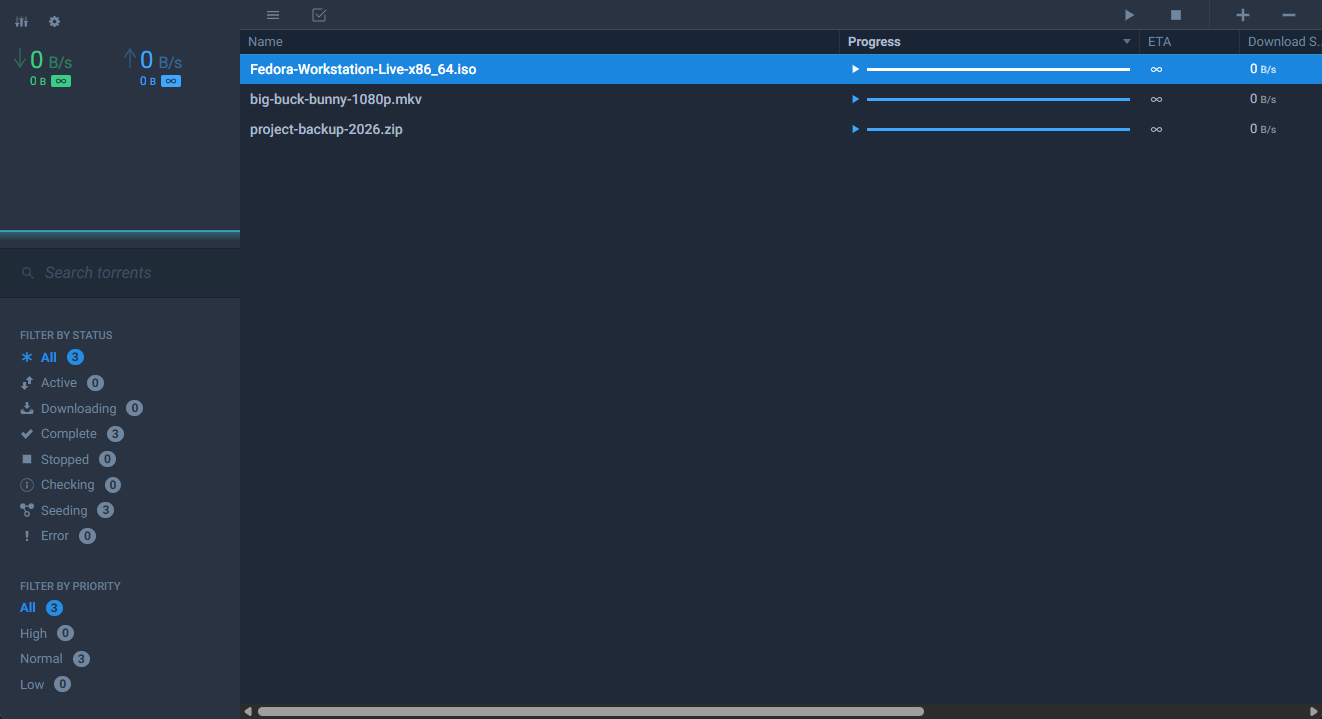
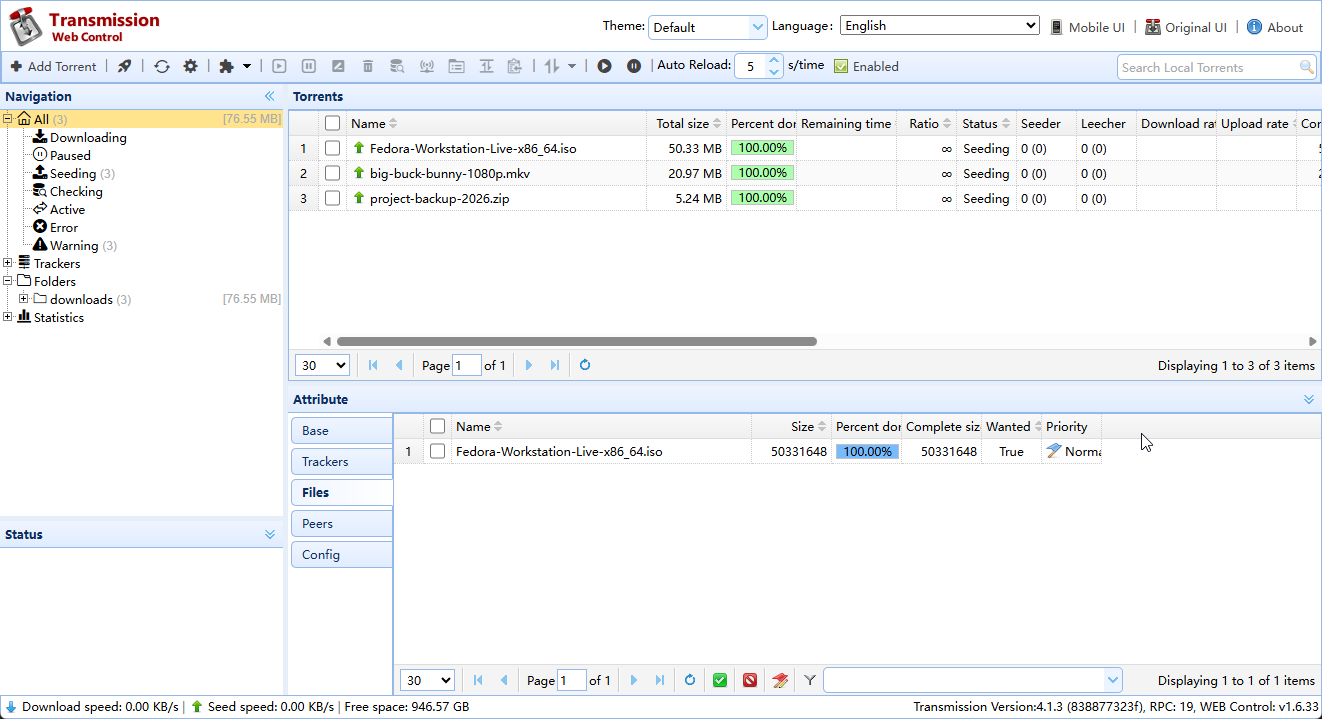
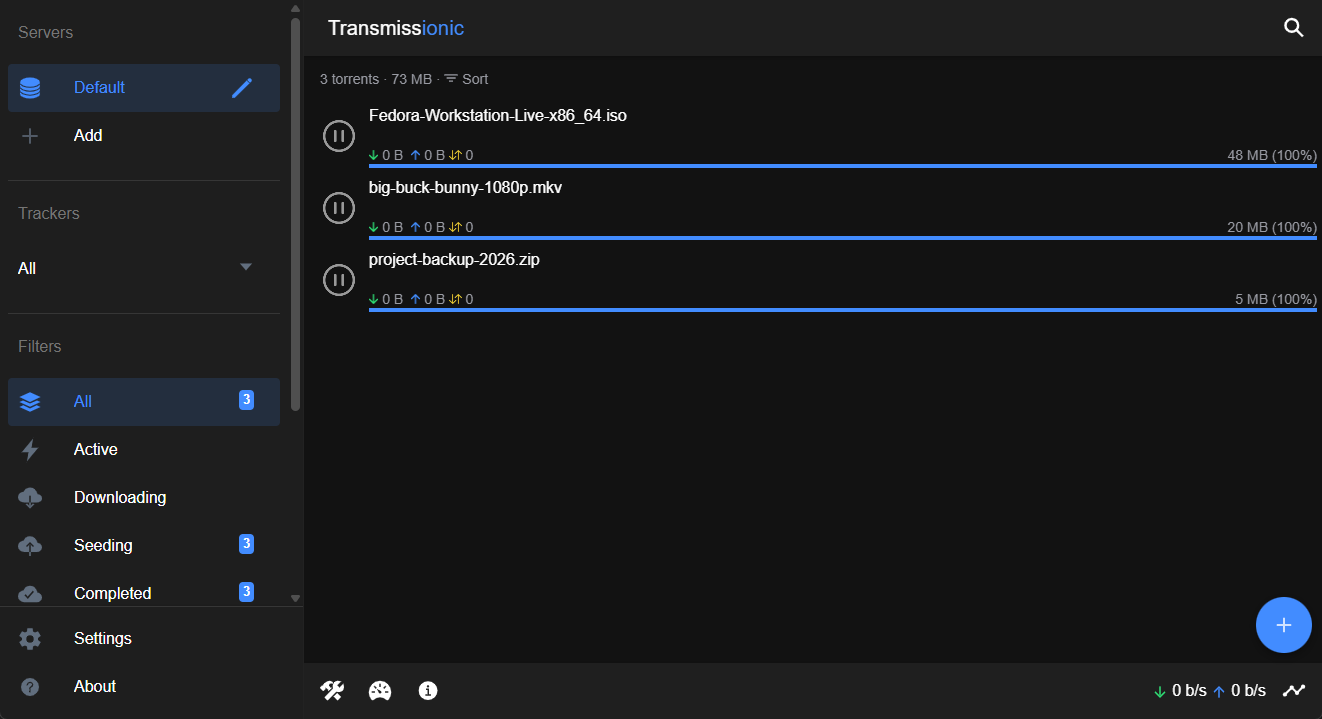
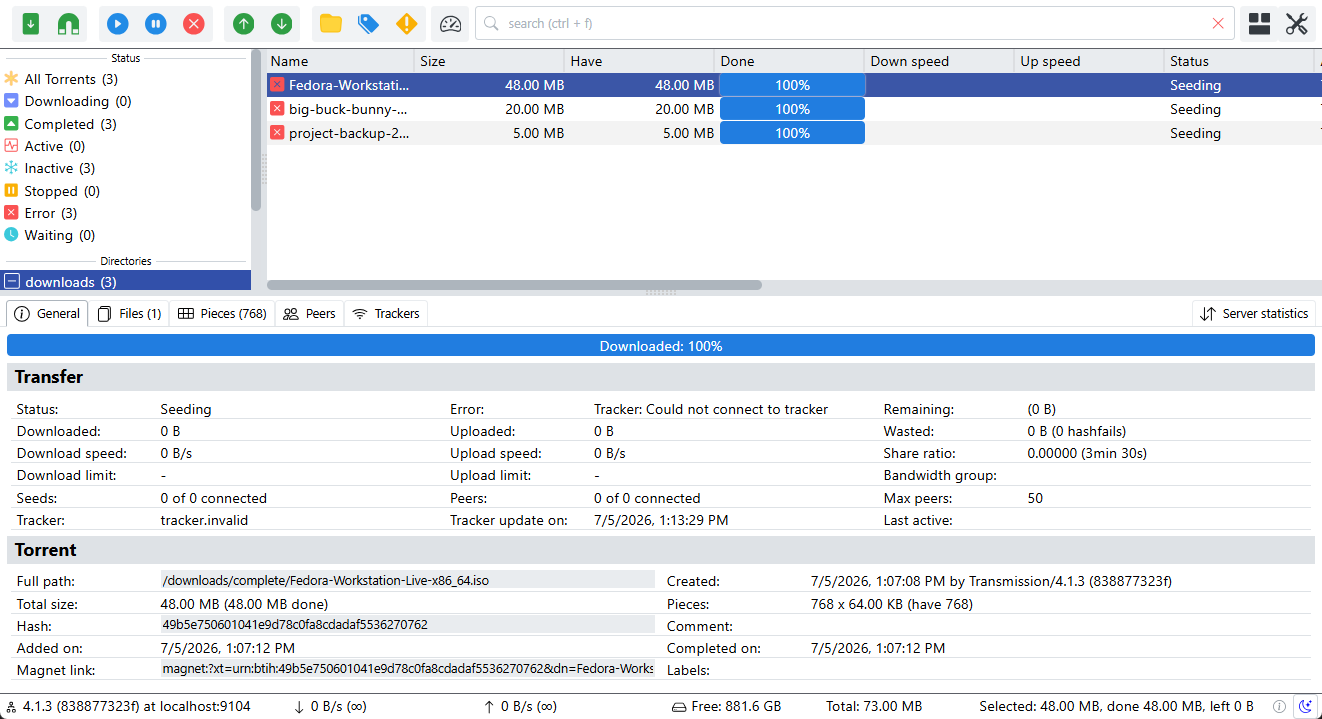
And where each one lives — with how much love it’s still getting:
| UI | Stars | Source | Commits | Last | Notes | |
|---|---|---|---|---|---|---|
 |
Flood for Transmission |  |
johman10/flood-for-transmission | 286 | 6 months ago | |
| Transmission Web Control |  |
ronggang/transmission-web-control | 558 | last year | Archived 2025/6 | |
 |
Transmissionic |  |
6c65726f79/Transmissionic | 2985 | 3 years ago | |
 |
TrguiNG |  |
openscopeproject/TrguiNG | 481 | 2 weeks ago |
Leaving Transmission
I’ve had issues with web-control in the past but now it seemed, it was also abandoned as a project… And then it turned out that the integration between qBittorrent and the *arr family is better compared to Transmission.
- Categories & tags: qBittorrent’s categories map each to a save path and line up exactly with the “category” field the *arr apps use.
- Built-in search
- Sequential download: download first & last pieces first
- Built-in RSS auto-downloader with filter rules.
Migrating to qBittorrent
 qbittorrent/qBittorrent
:
qBittorrent BitTorrent client
qbittorrent/qBittorrent
:
qBittorrent BitTorrent client
The linuxserver/qbittorrent service that replaced it:
qbittorrent:
  image: lscr.io/linuxserver/qbittorrent
  environment:
    - PUID=${PUID}
    - PGID=${PGID}
    - TZ=${TZ}
    - WEBUI_PORT=${QBITTORRENT_PORT}
  volumes:
    - ${CONFIG_PATH}/qbittorrent:/config
    - ${DATA_PATH}:/data
  ports:
    - ${QBITTORRENT_PORT}:${QBITTORRENT_PORT}
    - 6881:6881
    - 6881:6881/udp
You’ll probably have to point to the correct paths in:
Options > Downloads > Saving Management > Default Save Path:
The First-Login Gotcha
The admin password is printed to the docker logs at startup.
docker logs qbittorrent | grep -i password
Set a real password immediately, or a fresh temporary one is regenerated on every restart.
Options > WebUI > Authentication
Repointing the *arrs
Last step, in Sonarr, Radarr, Prowlarr, … under Settings → Download Clients: drop the Transmission client and add a
qBittorrent one (host, WEBUI_PORT, credentials), set a Category (ex: radarr, sonarr, …).
Inside qBittorrent on the left menu, right click the CATEGORIES > All > Add Category; or, if the categories you entered already exist, right click them and “Edit Category…”
In Options > Downloads > Saving Management > Default Torrent Management Mode: Automatic
And now you have a separate folder for each… Nice & clean!
Conclusion
If you’re setting up fresh: skip the detour and start on qBittorrent. The *arr integration alone is worth it. The qBittorrent UI is also more colorful than my old web-control, so I’m definitely staying ;)