By now, there are so many containers, who can remember all those funky names/urls/ports.
The solution is, obviously, to add even more containers!
Launchers
A web page where you add tiles for all your docker containers and open them with a single click. The basic launchers (ex: Minimux) are not much more than a pretty bookmarks site for your containers (or anything else really). The more advanced ones (ex: Organizr) aggregate information from the other containers so that for some common functionality you don’t even have to leave your launcher at all.
TL&DR
You probably want to pick one of these:
- Homepage: Highly customizable and configured entirely in YAML (config-as-code)
- Homarr: Simple bookmarks with deeper integrations: a built-in calendar, healthchecks etc
- Organizr: If you want the ultimate dashboard and are willing to spend time on it
- Heimdall: Simple bookmarks with some small integrations
They know all your favourite containers and are pre-configured with icons/ports for easy setup.
Integrations are something like showing coming-up shows/movies, the current download speed, active downloads and more.
Maintenance health at a glance (as of this update):
| Launcher | Stars | Source | Commits | Last commit | |
|---|---|---|---|---|---|
 |
Homepage |  |
gethomepage/homepage | 7,200 | 3 days ago |
 |
Homarr |  |
homarr-labs/homarr | 5,174 | today |
 |
Organizr |  |
causefx/Organizr | 4,237 | 7 weeks ago |
 |
Heimdall |  |
linuxserver/Heimdall | 1,267 | 8 months ago |
Homepage
gethomepage/homepage
:
A highly customizable dashboard, configured entirely in YAML
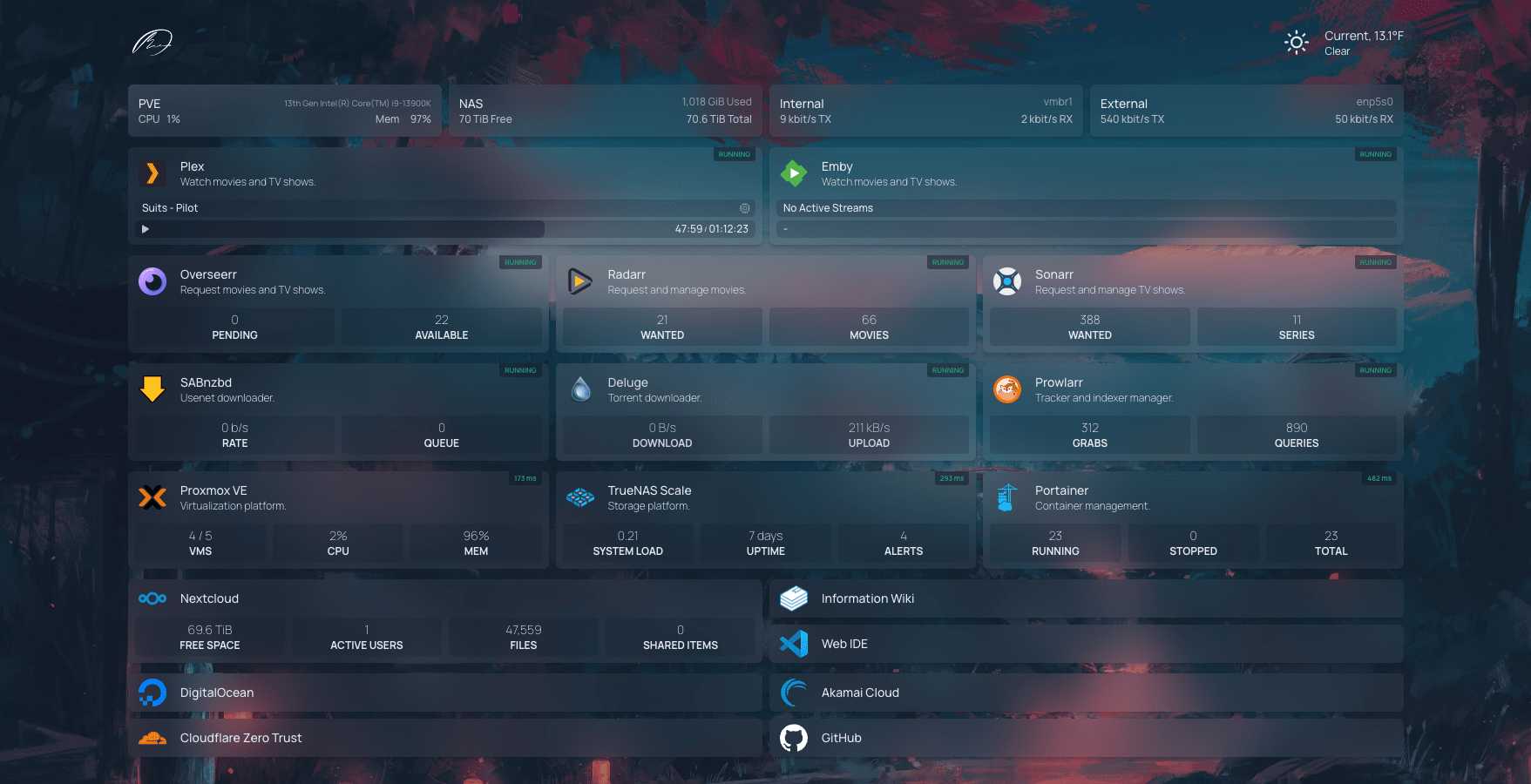
Homepage: my personal favourite. It’s ridiculously customizable and, for me, its killer feature, configured entirely in YAML, so your whole dashboard is config-as-code you can version alongside the rest of your stack. It ships native widgets for loads of *arr services.
I run this for my own homelab and love it.
Homarr
homarr-labs/homarr
:
Customizable home page to interact with your Docker containers (e.g. Sonarr/Radarr)
Homarr: One of the new *Arr kids on the block, with mobile support.
Initial setup felt like work but if you enter the name of a known container (ex: Jellyfin, qBittorrent, …) it will auto-fill in the details like Heimdall does.
Some notable features why you may want to go with Homarr instead of Heimdall:
- Calendar: Show coming up shows/movies in a calendar widget
- Docker: Start/Stop containers, Pin a running container to the dashboard
- Customizations: Light/Dark themes, background image, dashboard icon size, or just inject custom CSS


Organizr
causefx/Organizr
:
HTPC/Homelab Services Organizer
Even more feature rich, Organizr gives you unified dashboard(s) for all your containers. Very good integration with Plex.
- Smooth UI, many customization options
- Deep integration
- Sonarr/Radarr calendars
- Ombi requests
- Media Server activity
- Monitor healthchecks
- …
Disclaimer:
I spent some time trying to get this to work and got a few things setup but eventually gave up.
You can create that one complete dashboard, but it’s gonna take some time setting it up!
Heimdall
linuxserver/Heimdall
:
An Application dashboard and launcher
The one I went with. Definitely more feature rich compared to Muximux:
- Multiple users, authentication and multiple dashboards (called “Tags”)
- Shows the project logo of all containers mentioned in this post
- Has API integration to show some dynamic data on the tiles for some containers (called “Enhanced apps”)
- Ombi: How many pending requests
- Transmission: Current Upload/Download speeds
- Sonarr/Radarr: Missing / Download Queue counts
- Drag & Drop UI, set your own background, optional Google search field
- Open apps in the same or in a new tab

Disclaimer:
While it works pretty well overall, editing an existing tile can be challenging at times. It’s also on the slow
side and development has gone quiet (last release was ~8 months ago). Still, it works and everything Pirateflix
still runs on Heimdall in my setup.
Muximux
 mescon/Muximux
:
A lightweight way to manage your HTPC
mescon/Muximux
:
A lightweight way to manage your HTPC
The simplest, most lightweight launcher. Has a small header with your most used apps and launches them in an iframe. Pretty slick, works well, the settings UI is perhaps a bit lacking.

Prismarr
 Shoshuo/Prismarr
:
A unified dashboard/frontend for Radarr, Sonarr, Prowlarr, Jellyseerr, qBittorrent and TMDb.
Shoshuo/Prismarr
:
A unified dashboard/frontend for Radarr, Sonarr, Prowlarr, Jellyseerr, qBittorrent and TMDb.
The new kid: rather than a generic launcher, Prismarr is an *arr-focused unified frontend that stitches Radarr/Sonarr/Prowlarr/Jellyseerr/qBittorrent into one interface. Ships as a single container. Small and young (a spare-time, single-developer project), so weigh that against the established options above before committing.
Docker Infrastructure
This section is a work in progress 😃 But you definitely want:
 portainer/portainer
:
Portainer to manage all those docker containers…
portainer/portainer
:
Portainer to manage all those docker containers…
 containrrr/watchtower
:
Automatically update your containers to the latest versions
containrrr/watchtower
:
Automatically update your containers to the latest versions